 My Cars App
My Cars App › How it works
How My Cars App works
Five screens, no account, nothing to set up beyond typing a registration.
1. Check a plate
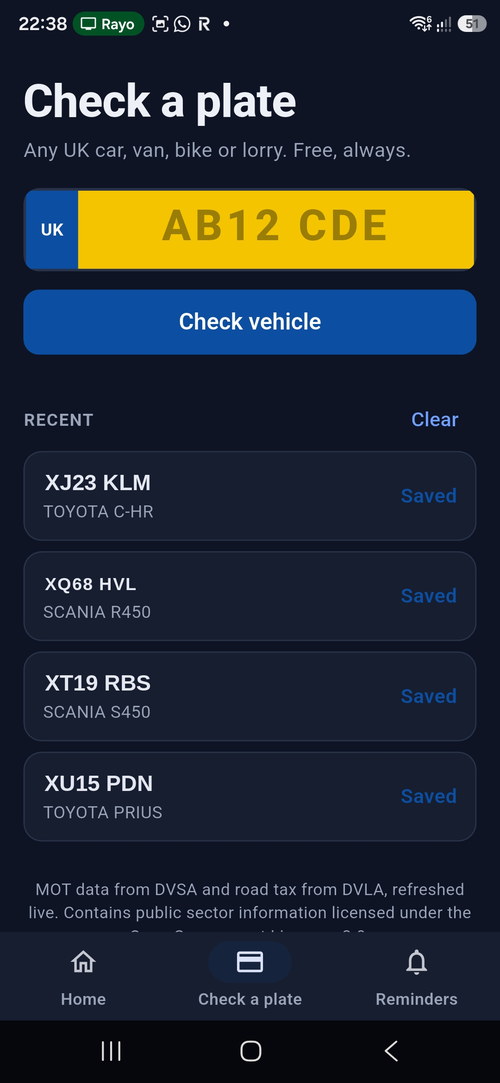
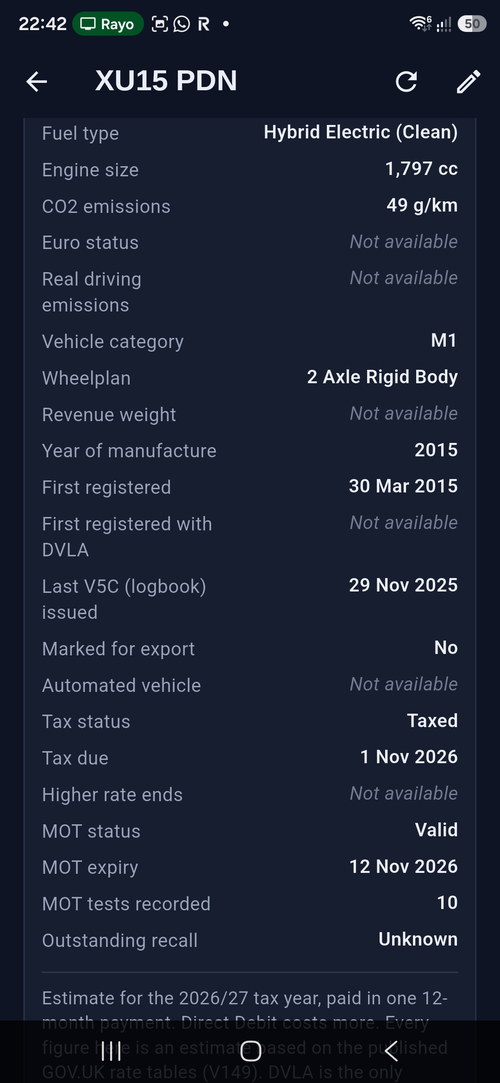
Type any UK registration — car, van, motorbike or lorry — and press Check vehicle. You get the make, model, colour, fuel type, engine size, the date it was first registered, the MOT status and expiry date, the full test history, and the road tax status with renewal date.
This is free. You do not need to save the vehicle or unlock anything to look one up, and you do not need to be the owner.
2. Save it
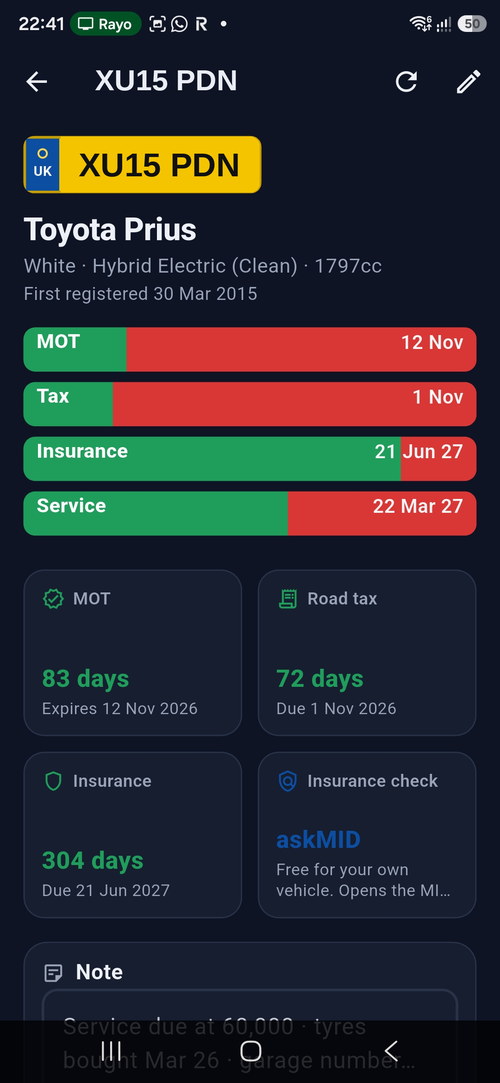
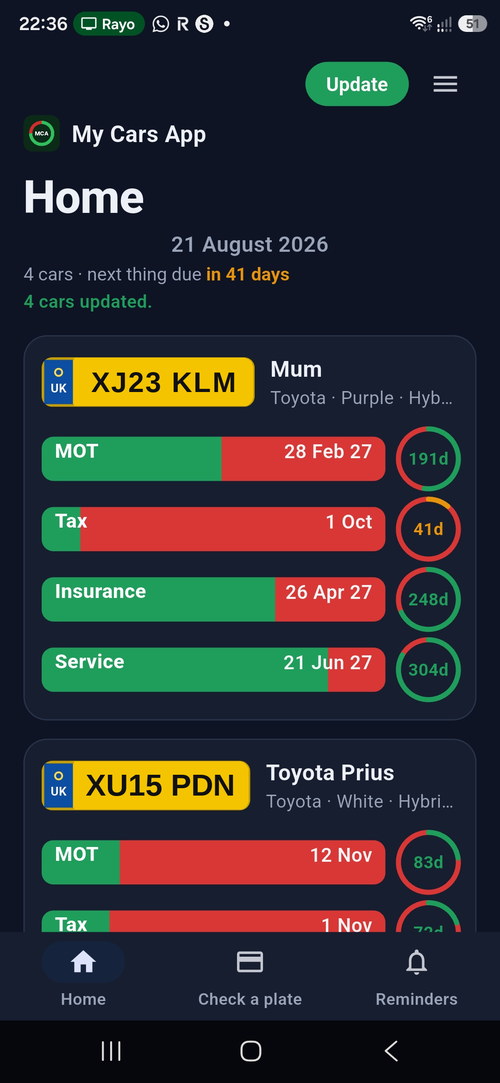
Tap save and the vehicle joins your Home screen, up to five at a time. Each one shows a bar and a countdown ring per date: green is time remaining, red is time gone. A glance tells you which vehicle needs attention without reading a single number.
MOT comes from DVSA and road tax from DVLA. Neither can be edited, because neither needs to be — they are the official dates and they update themselves. Insurance and service dates are yours to enter: tap either bar to set or change one.
3. Open a vehicle for the rest of it
Tap any car on the Home screen and it opens its own page. This is where most of the app lives, and it is easy to miss if you only ever glance at the countdown rings.
On that page:
- The full MOT history. Every test DVSA holds — pass or fail, the mileage recorded at each one, what failed and every advisory written by the tester. Read bottom to top and you have the story of the car.
- A mileage check. The recorded mileages in order, so a reading that goes backwards or jumps implausibly is visible rather than buried.
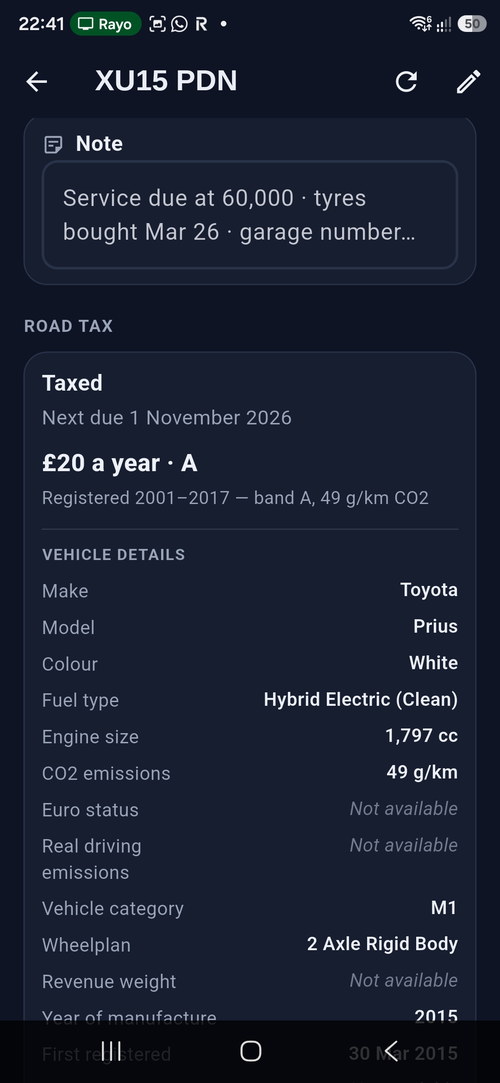
- Road tax. Status and renewal date from DVLA, with an estimate of the annual cost and the reasoning behind it — and it says plainly that it is an estimate, not the amount DVLA will charge.
- Safety recalls. Whether the manufacturer has an outstanding recall against the vehicle, and what the defect is. More about recalls.
- A car check summary. Recall, MOT, MOT record, mileage, tax, export and logbook, each marked good, unknown or needs attention, on one screen.
- Everything DVLA and DVSA hold about the vehicle — and where they hold nothing, it says Not available rather than quietly leaving a gap.
- MOT test centres near you, and links out to the official GOV.UK services.
- A notes box, for what the garage said, what it cost, which tyres are on it.
The car check summary and the full recall list are part of the paid version. Checking a plate, the MOT history, the tax card and the test centre finder are free, always.


4. Add the dates only you know
Insurance renewal and service intervals are not public data — nobody can look them up for you. Type them once and the app treats them exactly like the MOT date. There is a notes box on each vehicle too, for the things that never fit anywhere else: what the garage said, what the last service cost, which tyres are on it.
Your driving licence photocard sits at the bottom of the Home screen. It expires every ten years and almost nobody knows the date without going to find the card.
5. Let it remind you
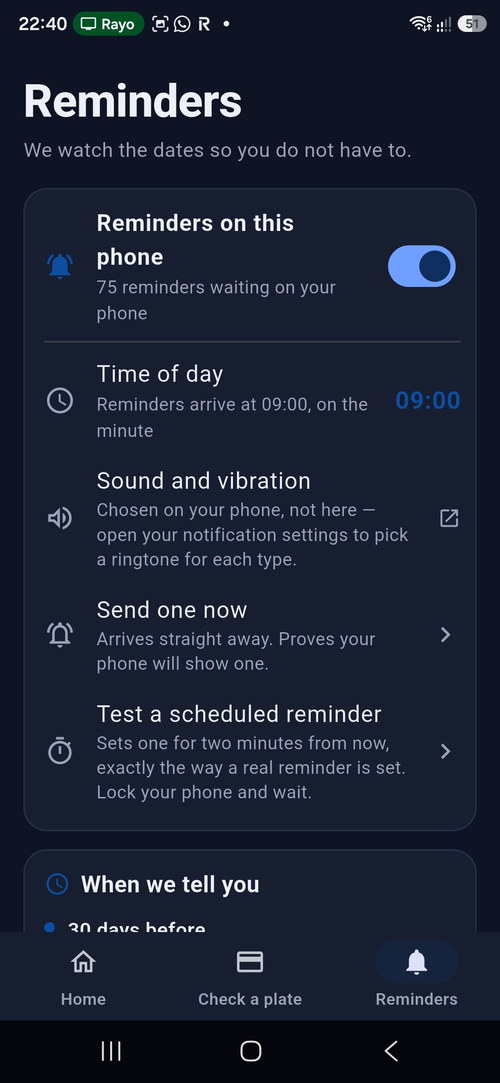
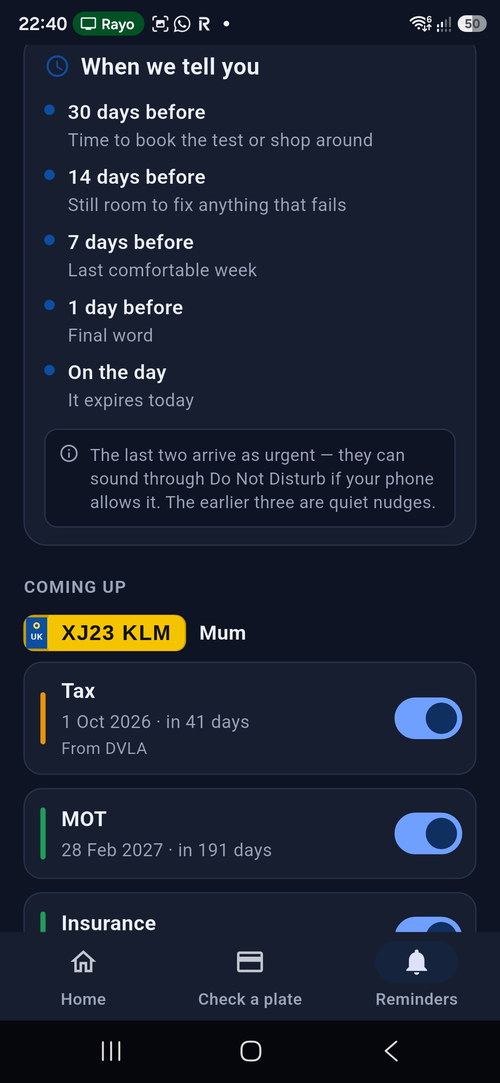
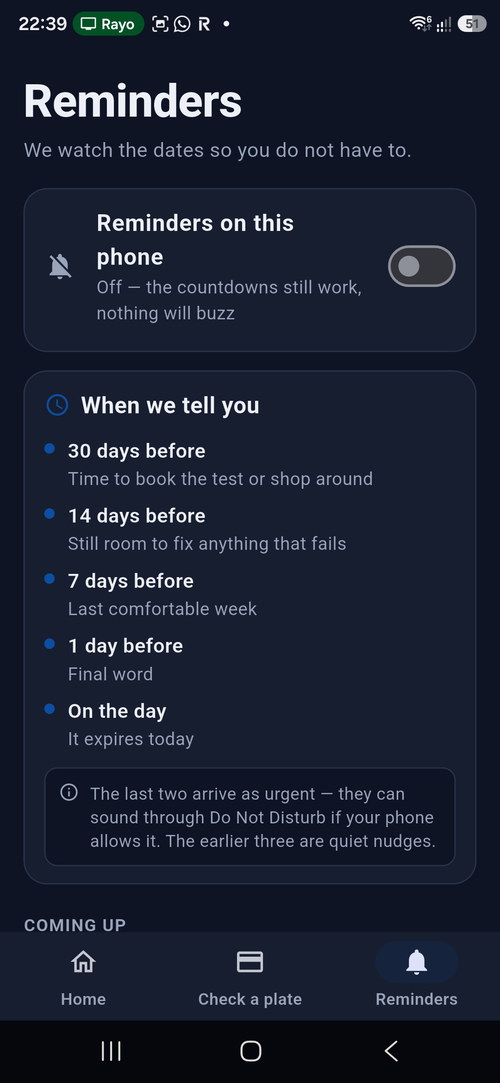
Switch reminders on and choose a time of day. You get one at 30 days, 14 days, 7 days, the day before, and on the day — for every date on every vehicle.
They are scheduled by your phone, not by us. There is no server watching your vehicles and nothing running in the background, so they cost you no battery and no mobile data, and they still arrive with the app closed.
What it costs
Checking a plate is free. Saving vehicles and getting reminders is free for the first 15 days, after which there is a one-off or yearly unlock. Prices are shown in the app before you pay anything.
What your phone needs to allow
Two settings decide whether a reminder actually arrives. The app asks for both the first time you open it, and each is one tap.
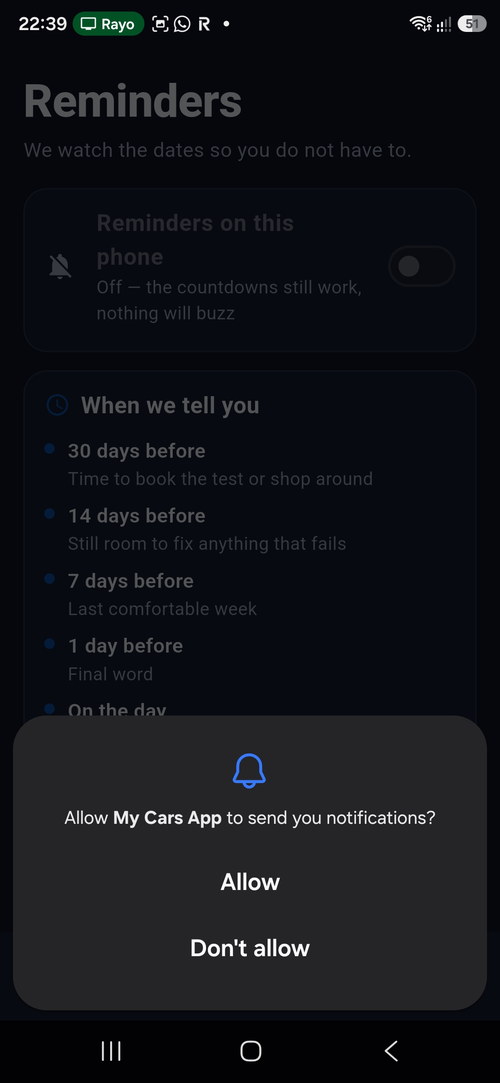
- Notifications. When the phone asks “Allow My Cars App to send you notifications?”, choose Allow. Without it the reminder is still set, but nothing appears on screen.
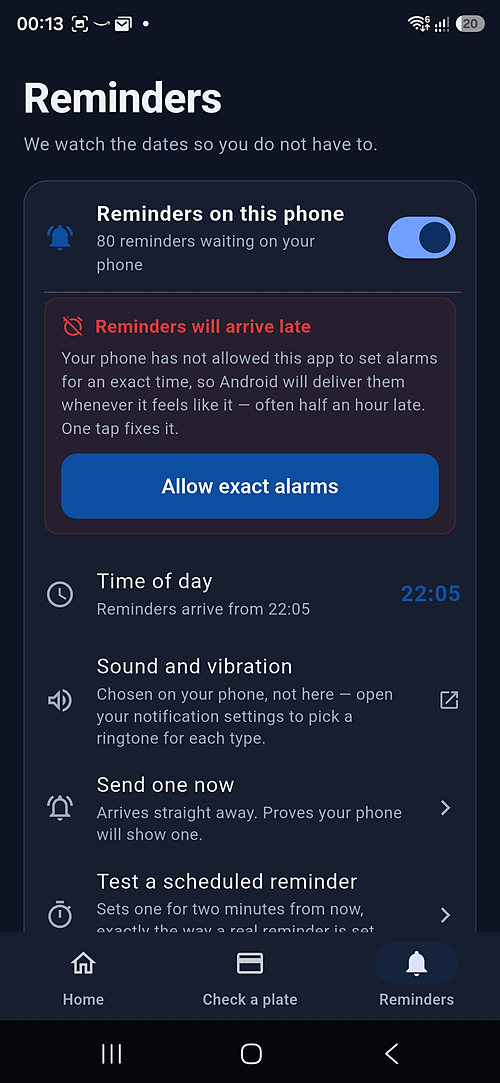
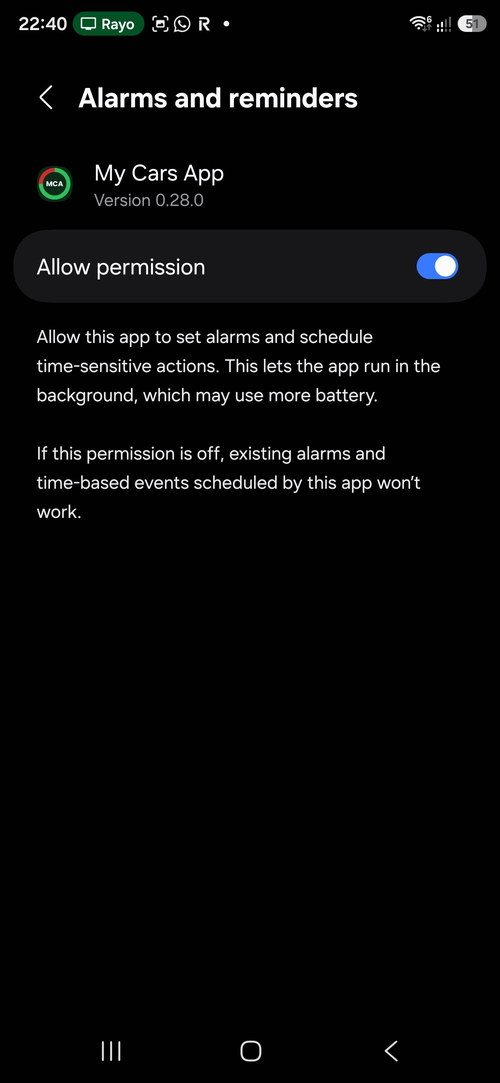
- Alarms and reminders. Settings → Apps → My Cars App → Alarms and reminders → Allow. This is what the red banner in the app — “Reminders will arrive late … Allow exact alarms” — is asking for. Without it Android is free to hold a reminder back for hours.
You do not need to change the battery setting. Reminders arrive with the app closed on the standard Optimised setting.
An MOT and tax reminder app that asks for nothing
Most reminder services want an email address or a mobile number first. This one does not: there is no account, no sign-in and no server holding your vehicles. The reminders are scheduled by your own phone.
We value your privacy
No accounts. No ads. No tracking or analytics in the app. No location access. Your cars, your dates and your reminders live on your phone and are never uploaded to us. The only thing that leaves your phone is the registration you ask about, so we can look it up with DVSA and DVLA.
The full privacy policy sets out exactly what that request involves and how long anything is kept.
Fuel prices near you
Filling stations must publish their pump prices by law and report a change within thirty minutes, under the government’s Fuel Finder scheme. Type a postcode and the app lists every participating station in range, the price of each grade, and how long ago it last moved.
It searches by postcode, never by location — the app does not ask for location permission on any screen. More about fuel prices.
Safety recalls
When a manufacturer finds a serious fault it issues a recall, recorded by DVSA. The letter goes to the address on file, which is why a car that has changed hands can carry an unrepaired recall for years. Check a registration and the recall position appears with the MOT and tax — what the defect is, when it was issued and which build dates it affects.
A recall is not an MOT failure; they answer different questions. More about safety recalls.